

Manage mobile connectivity from ChatGPT
Sign up, connect eSIM Copilot to ChatGPT, and search plans, create orders, check usage, and get support in natural language.
ChatGPT
Connected to eSIM Copilot
eSIM Copilot
Ready to prepare an order
12
travellers
4
countries
2
approvals
Plan search
Local and regional options compared
Order draft
12 eSIMs prepared for approval
Support note
Install links ready for the team
Next safe action
Review the order before any charge is made.
Plans
Orders
Usage
Install
Add eSIM Copilot to ChatGPT
The ChatGPT app connects to your eSIM Copilot account, so you can manage mobile connectivity without opening another dashboard for every small task.
01
Open the app page
Open eSIM Copilot in ChatGPT and choose Connect. ChatGPT may ask you to sign in first.
02
Connect eSIM Copilot
Sign in or create an eSIM Copilot account, then authorise ChatGPT to use it.
03
Ask for a mobile task
Search plans, prepare an order, check usage, review eSIM status, or get install help.
What it does
Plans, orders, usage, and support
Search the plan catalogue
Ask for coverage by country, trip, team, or customer need. ChatGPT can query eSIM Copilot and return the relevant options.
Create orders
Prepare carts, choose the right plan, and complete purchases without turning the task into a portal hunt.
Check usage and spend
Ask for usage by line, team, country, or period. Get the operational view before a support ticket or invoice surprise appears.
Guide support
Give support teams a faster way to answer "is this installed?", "does this plan still have data?", or "what should we do next?".
Manage plan actions
Handle common account tasks like top-ups, renewals, and cancellations with the same controls you already use in eSIM Copilot.
Keep the guardrails
Payment confirmation, account scope, and logs remain part of the workflow. ChatGPT is the interface, not a bypass.
In ChatGPT
Real account views
The integration can bring the plan catalogue, eSIM status, and account reporting into ChatGPT without making the user guess which screen to open.
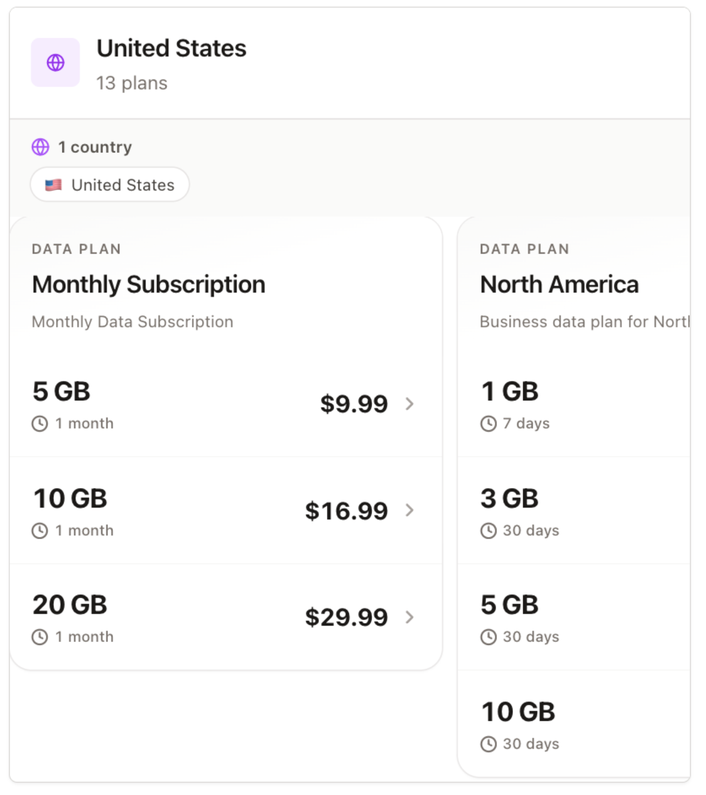
Find plans
Search the catalogue from a normal question.
Japan eSIM
ICCID 891030000022880351
Current plan
Japan 1GB · 7 days
1024 MB left
Check eSIMs
See installation state, active plans, and usage.
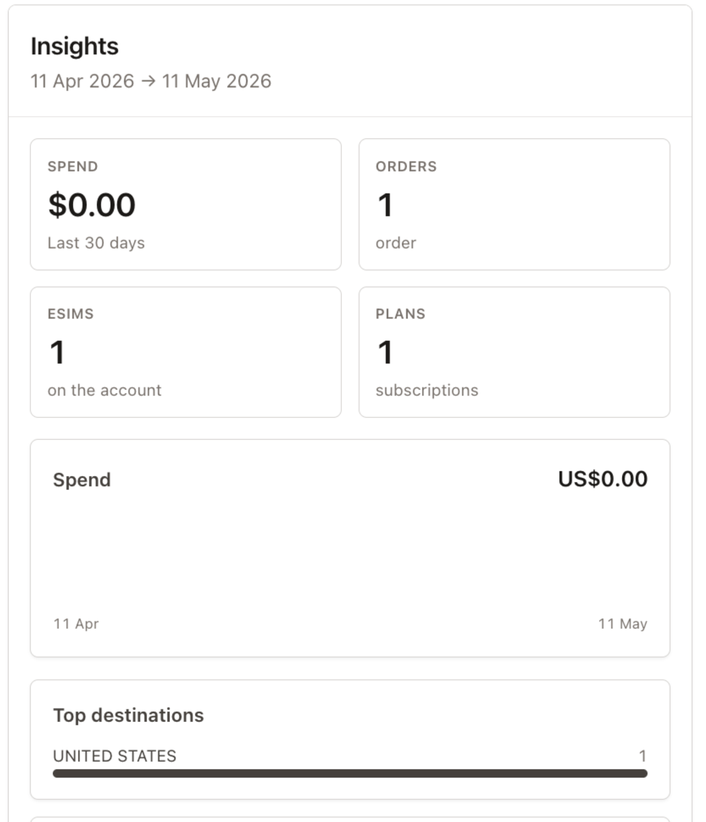
Review insights
Pull account-level reporting into the conversation.
Where it helps
Operations, support, and account admins
Operations teams
Provision travel teams, field staff, contractors, or event crews without turning every request into a manual admin job.
Customer support
Resolve install, activation, usage, and plan questions from the same conversation where the customer issue is being handled.
Account admins
See what is active, what is expiring, what has been ordered, and what needs attention.
Control model
Chat is the interface. eSIM Copilot stays in control.
The integration is designed for real account operations, not open-ended automation with no guardrails.
Authenticated access
Anyone can sign up. ChatGPT actions run through the eSIM Copilot account you connect.
Confirmation before charges
Chargeable or sensitive actions can be reviewed before they complete.
Logged activity
Plan searches, orders, and account actions can be traced back for support and review.
Related
Other integrations
Claude integration
Use Claude and MCP to manage the same mobile account from natural language.
Open pageREST API
Build mobile workflows with REST endpoints, webhooks, and automation tools.
Open pageAll integrations
Slack, Teams, WhatsApp, Telegram, Salesforce, API, webhooks, and AI assistants.
Open pageCreate your free account.
Founded by telecoms veterans with 30+ years of experience. Meet the team. Takes 60 seconds.